
Photometric report software
Photometric Report Software
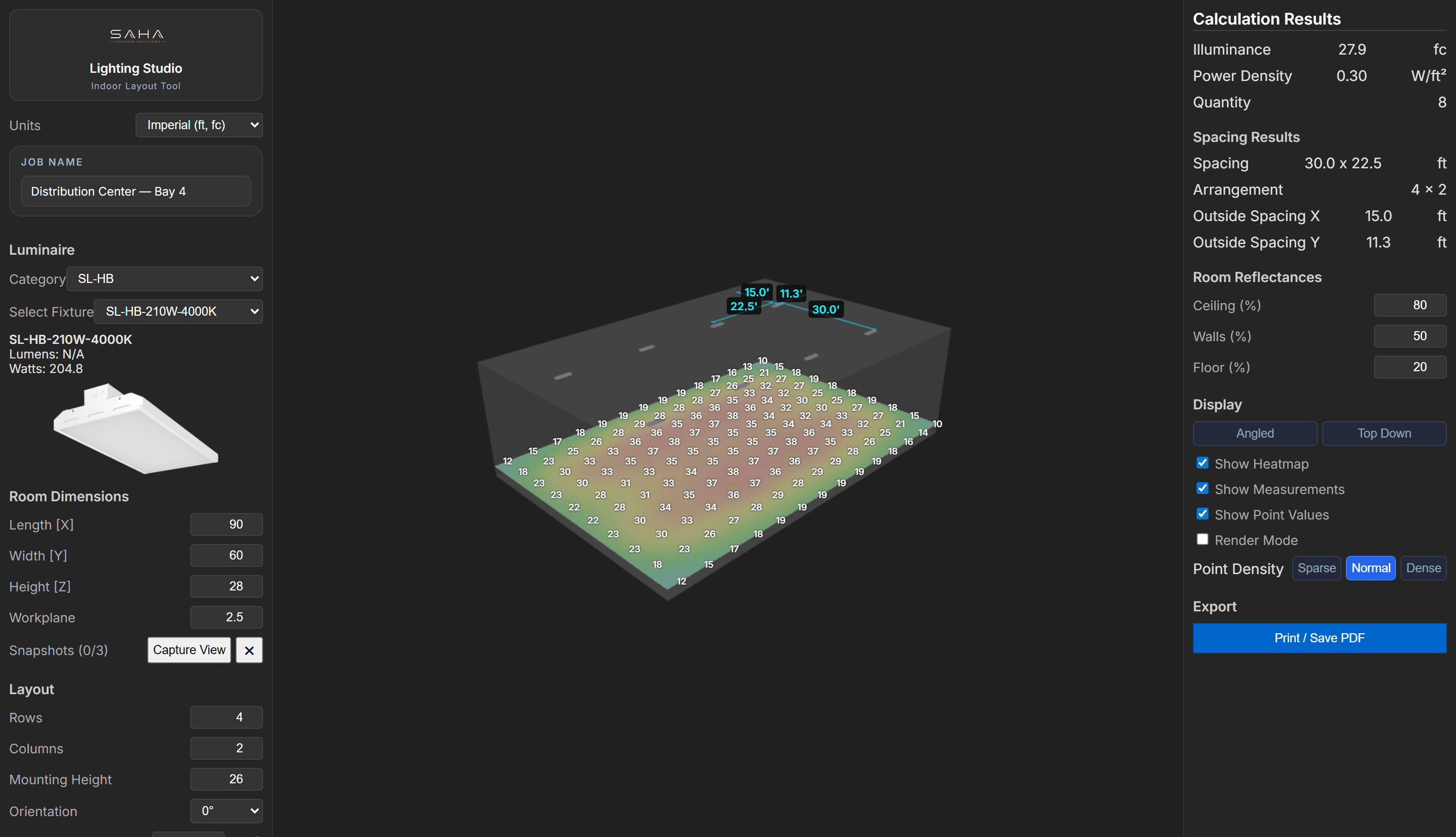
Turn your IES fixture data into a preliminary lighting layout and a PDF report for your quote package. Review heatmaps, point-by-point footcandle estimates and fixture counts in the browser. Custom report branding is available on Pro and Business.
Updated: September 5, 2026
What the report includes
- The layout — angled 3D and top-down heatmaps
- Point-by-point footcandle estimates across the space
- Fixture schedule and count
- Spacing and power density
- Project details — branded with your logo on the Pro and Business plans
How to create a photometric report
- 1.Select the fixture and IES file matching the product you are quoting.
- 2.Enter the room or site dimensions, fixture mounting height and calculation-plane height. Review other inputs available in the selected tool, such as reflectance or light loss factor.
- 3.Set a target light level, then review placement, fixture count, heatmap and point-by-point estimates. Check the dim areas as well as the average.
- 4.Confirm the project details and export the PDF. All plans include PDF export; Pro and Business add your branding.
Review the layout before you export
For an indoor project, use the angled view to review fixture placement and coverage, then inspect the point-by-point results for areas needing attention. Keep the fixture choice, mounting height and other assumptions consistent with the project you are quoting.
IES viewer, photometric calculator or report software?
| Your task | What you need | Where to start |
|---|---|---|
| Inspect one fixture’s distribution | The manufacturer’s IES file | The free online IES file viewer |
| Estimate light levels across a space | IES data, geometry, mounting height and layout assumptions | A Lighting Studio indoor or outdoor layout |
| Share a preliminary plan with a quote | A reviewed layout and project details | PDF export from the layout workspace |
| Obtain a stamped or certified design | Project-specific professional review and documentation | A qualified lighting professional |
Preliminary estimates, stated clearly
Reports are preliminary lighting estimates for first-pass layouts, demos, and sales support — they depend on the products, data, inputs, and assumptions you provide. They are not engineering, a final or certified design, or a guarantee of code compliance. For stamped documents or compliance work, a qualified lighting professional is required.
Who it’s for
- Lighting manufacturers
- Rep agencies
- Distributor sales teams
Frequently asked questions
Is the report branded?
Every plan exports a client-ready PDF. On the Pro and Business plans your logo appears across the tool and every report, plus a custom domain.
Can I report on indoor and outdoor projects?
Yes. Lighting Studio supports indoor rooms, outdoor pole and area lighting, and wall-mounted layouts. Starter includes your choice of Indoor or Outdoor; Pro and Business include both.
Is the photometric report software free?
The full Lighting Studio workspace has a free 7-day trial with no credit card required. Continued use requires a paid plan. The separate online IES file viewer is free, but viewing a fixture file alone does not create a project layout or PDF report.
What do I need before creating a photometric plan?
Start with the IES file for the exact fixture and optic, project dimensions, mounting height and the plane where you want to calculate light levels. Review the tool’s other assumptions before sharing results. A target footcandle value alone is not enough to describe a complete project.
Is this a substitute for a stamped photometric plan?
No. It produces preliminary estimates for sales and first-pass work; final or certified design requires a qualified lighting professional.
Related
Send a report with every quote.
Create a first-pass layout and export a PDF for your next quote. Free 7-day trial, no credit card.